
How to generate consumer key and secret in Magento?
1. Create an integration in Magento 2
Step 1: Go to System -> Integrations Menu.
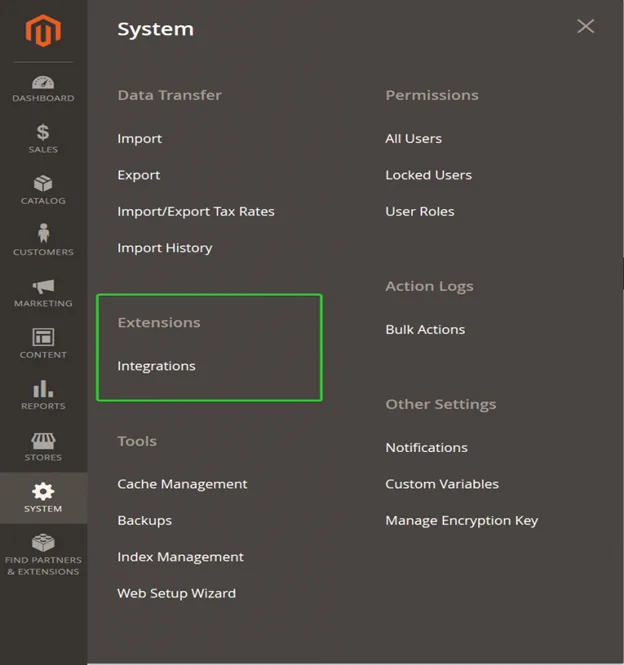
Step 2: Click add new integration to open a new integration form.
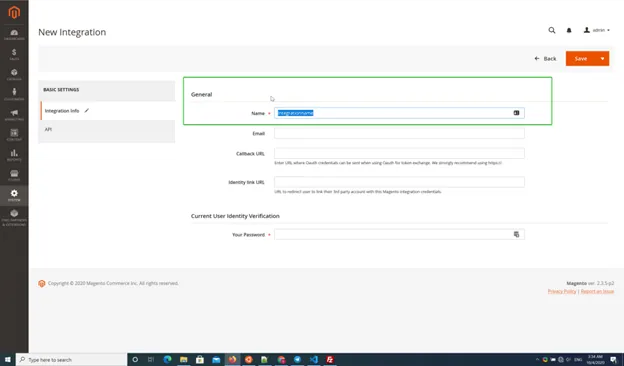
Step 3: Enter the integration name as the form in the above picture.
Step 4: Grant access to the API resources. Make sure to Sales resource is checked.
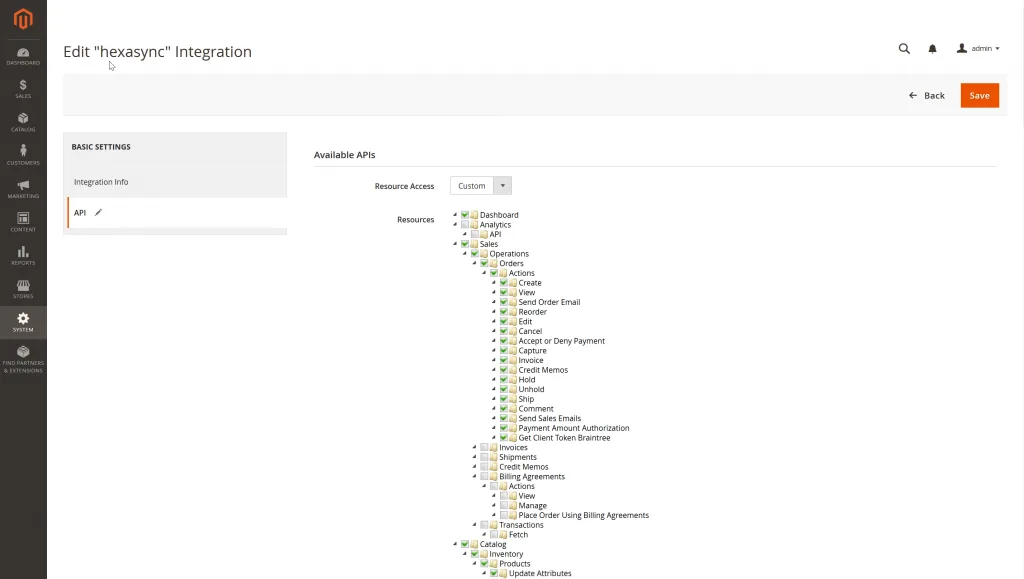
Step 5:Save to create a new consumer public & secret keys for integration.
Step 6:Activate integration for creating an access token for the external application.
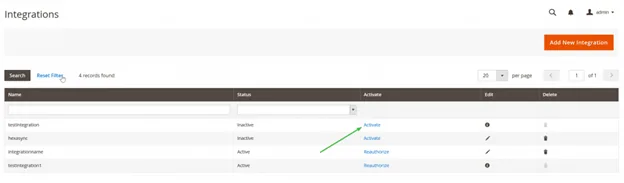
After activating, we can see the integration detail in the picture below.
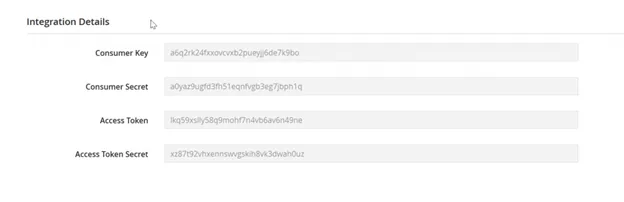
After being generated, the Access Token is use in Token field in Telagus ecommerce Marketplace.
Ensure that your Magento 2 website has installed the Magento 2 CORS Cross-Domain extension. Follow the Github tutorial below if you want to install it.
Magento 2 CORS Cross-Domain Requests by SplashLab
2. Which URL is used in the Telagus E-commerce Marketplace?
You can use your store URL with the rest API version. For example, if your store url is https://mystore.com then the Integration URL is https://mystore.com/rest/V1 . Make sure to check your store's rest API version.

Ready to see how it works?
Explore how Telagus can transform the way you manage leads, teams, and customers all from one powerful CRM platform.