
How to generate consumer key and secret in Shopify?
1. Create an Access token in Shopify
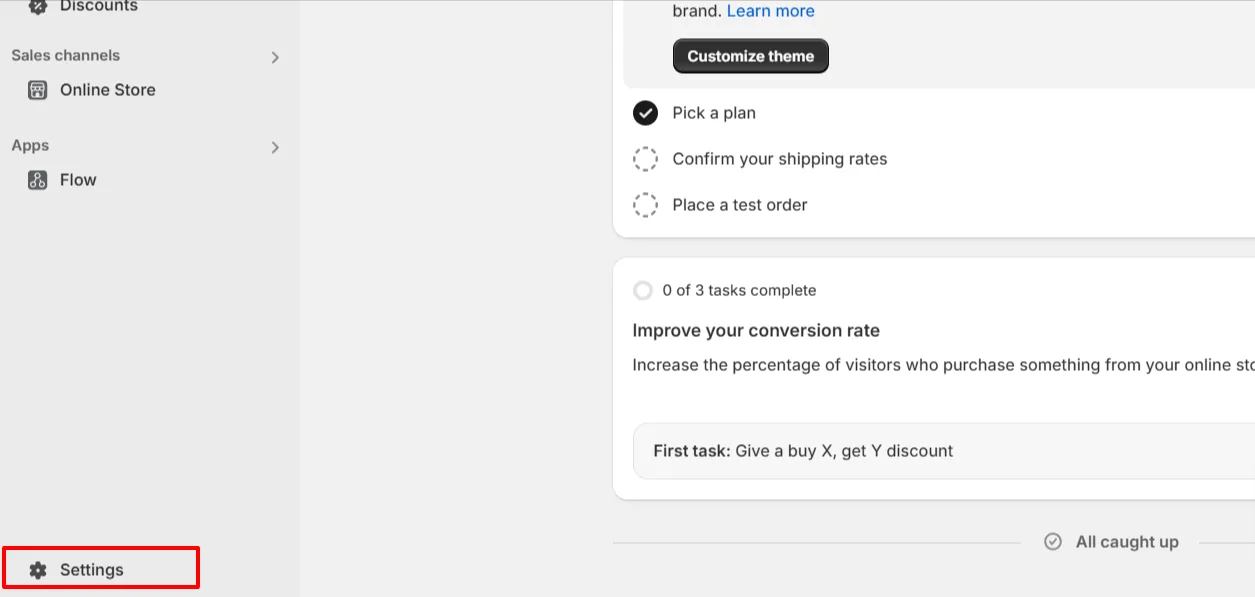
Step 1: Go to Shopify Admin > Settings.
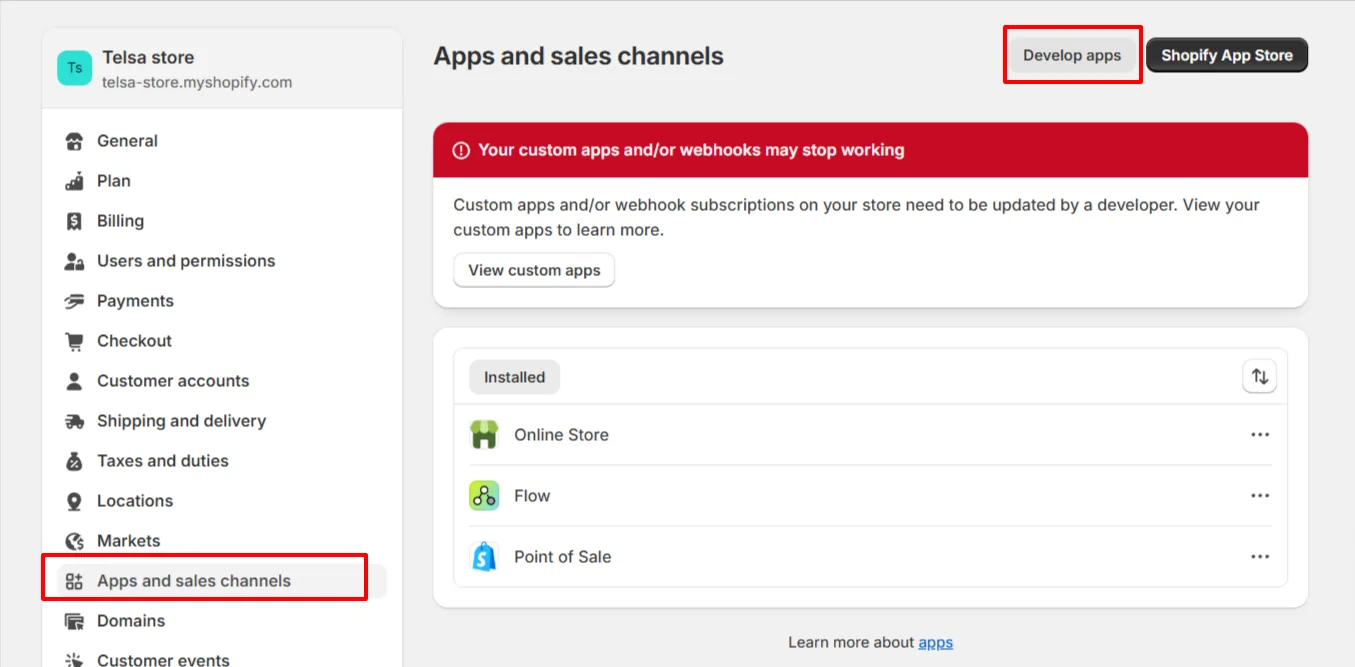
Step 2: In setting screen, Click on Apps and sales channels side tab.
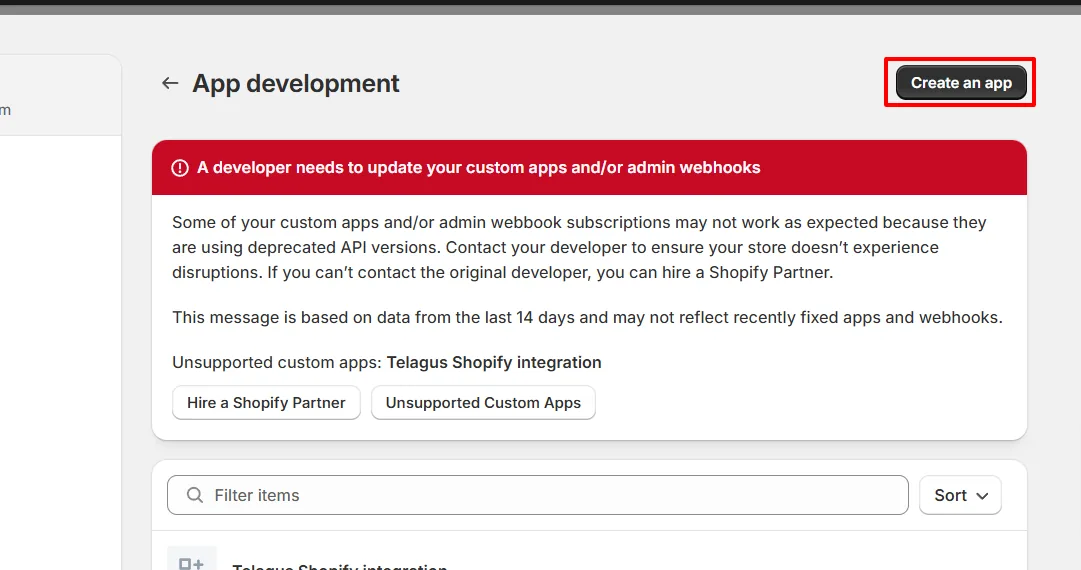
Step 3: On top of the screen, you can see two buttons. Click on Develop apps.
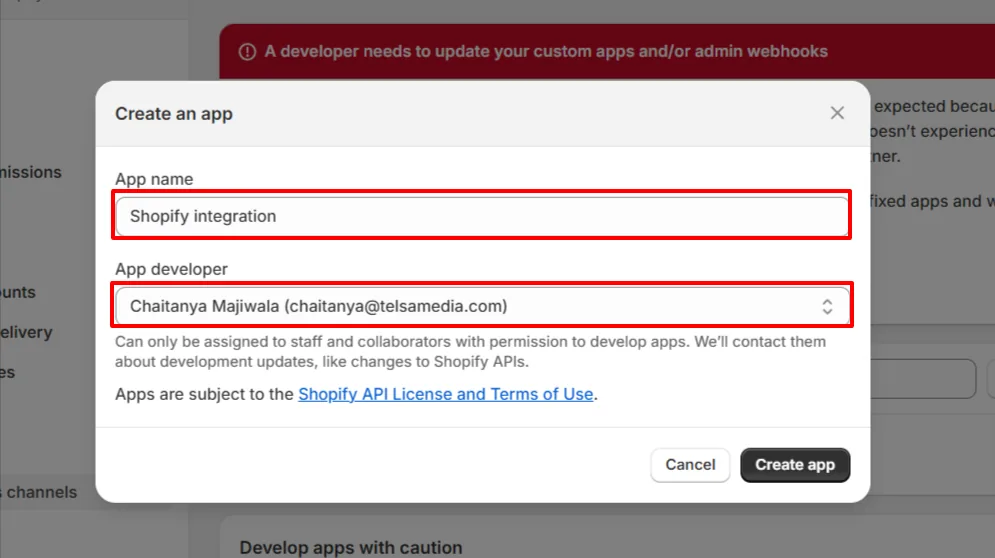
Step 4: Click on Create an app button, then you will see popup for App name and App developer, Just fill that and click on Create App.
Step 5: On overview tab, Click on Configure Admin API scopes.
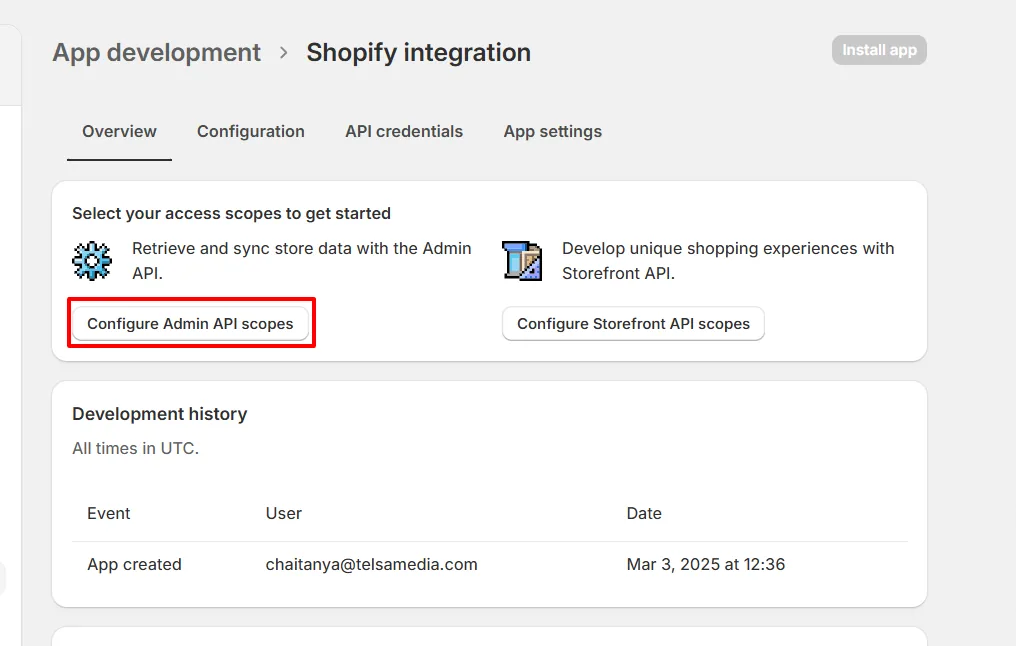
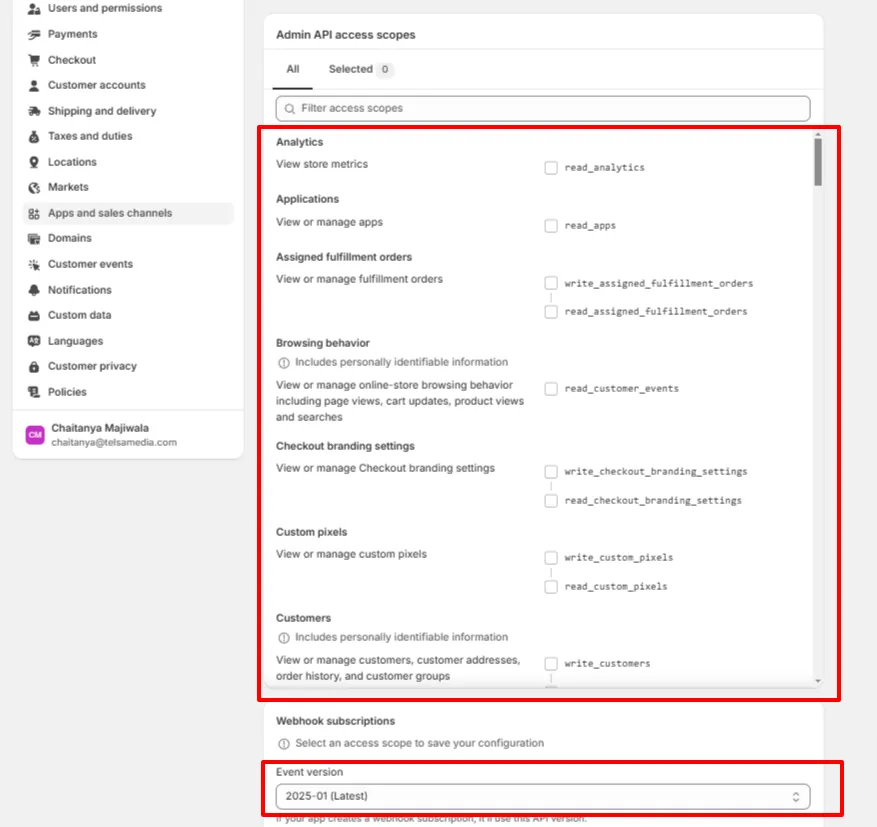
Step 6: Then just, provide permissions by clicking checkboxes for read_customers, read_orders, read_privacy_settings, read_products and read_reports. Also, Select API Event version as Latest. Then, click on save
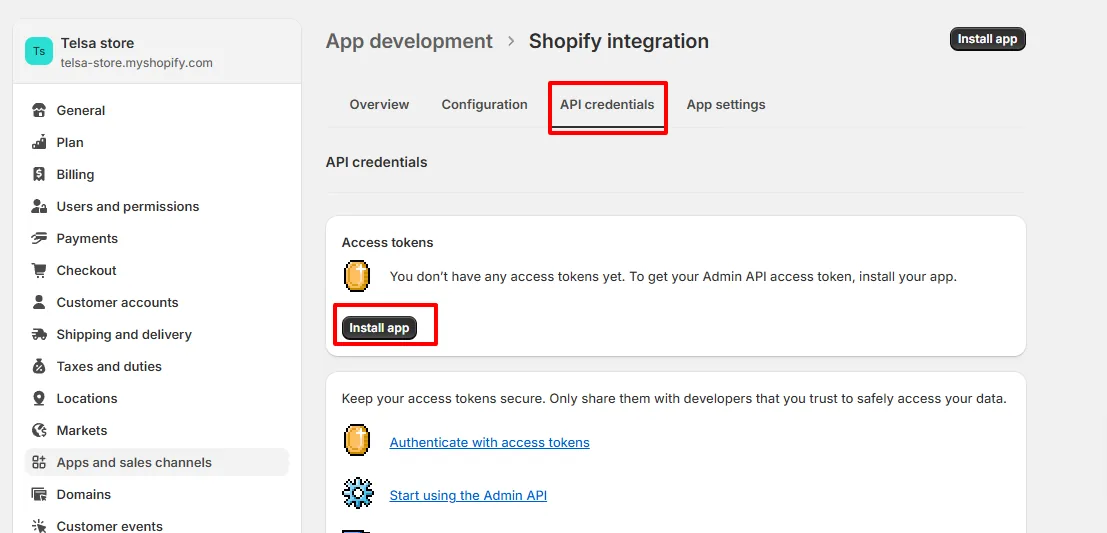
Step 7: Now, go to API credentials and click on install app button.
Step 8: Once app installed you will get Admin API access token from API credentials section.
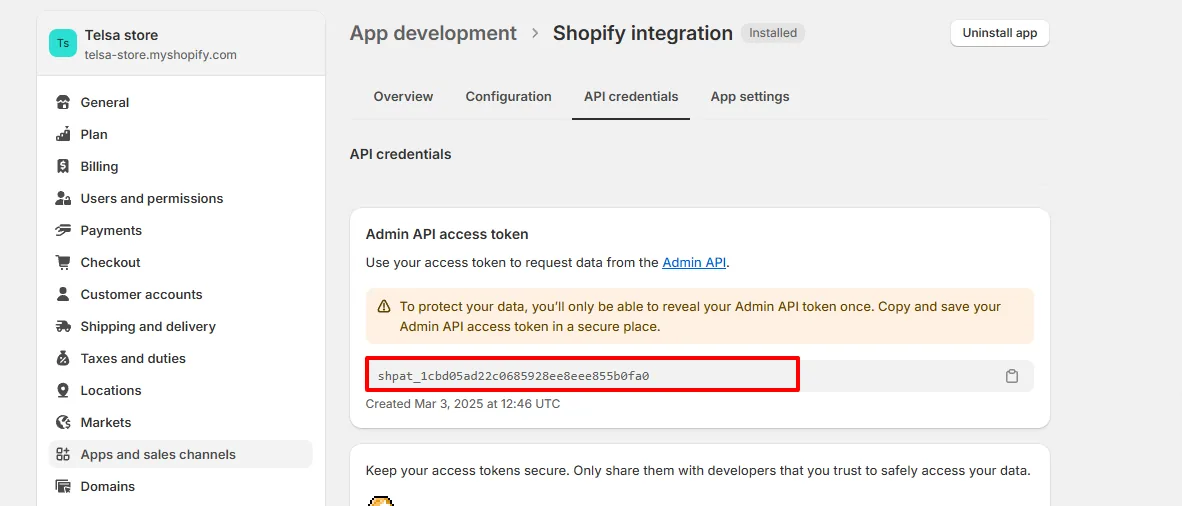
After being generated, the Access Token is use in Token field in Telagus ecommerce Marketplace.
2. Which URL is used in the Telagus E-commerce Marketplace?
You can use your store URL with the rest API version. For example, if your store url is https://mystore.com and API version selected as 2025-01 then the Integration URL is https://mystore.com/admin/api/2025-01. Make sure to check your store's API version.

Ready to see how it works?
Explore how Telagus can transform the way you manage leads, teams, and customers all from one powerful CRM platform.