
How to generate consumer key and secret in WooCommerce?
1. Generate API Credentials in WooCommerce
Step 1: Log in to your WordPress admin dashboard.
Step 2: Navigate to WooCommerce -> Setting.
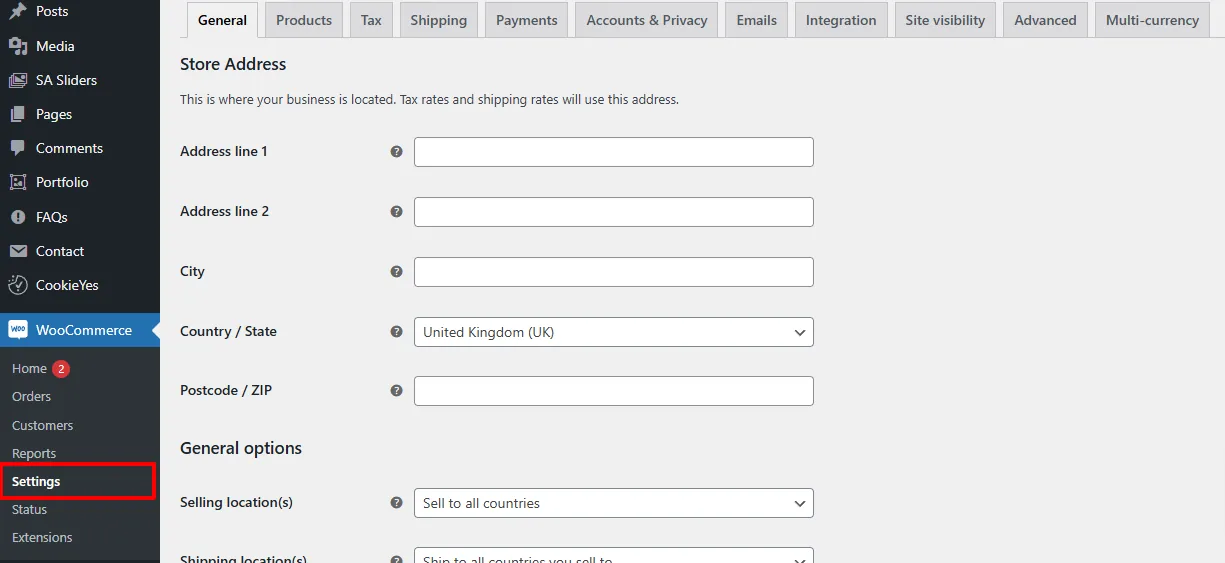
Step 3: Click on Advanced tab, then select Rest API.
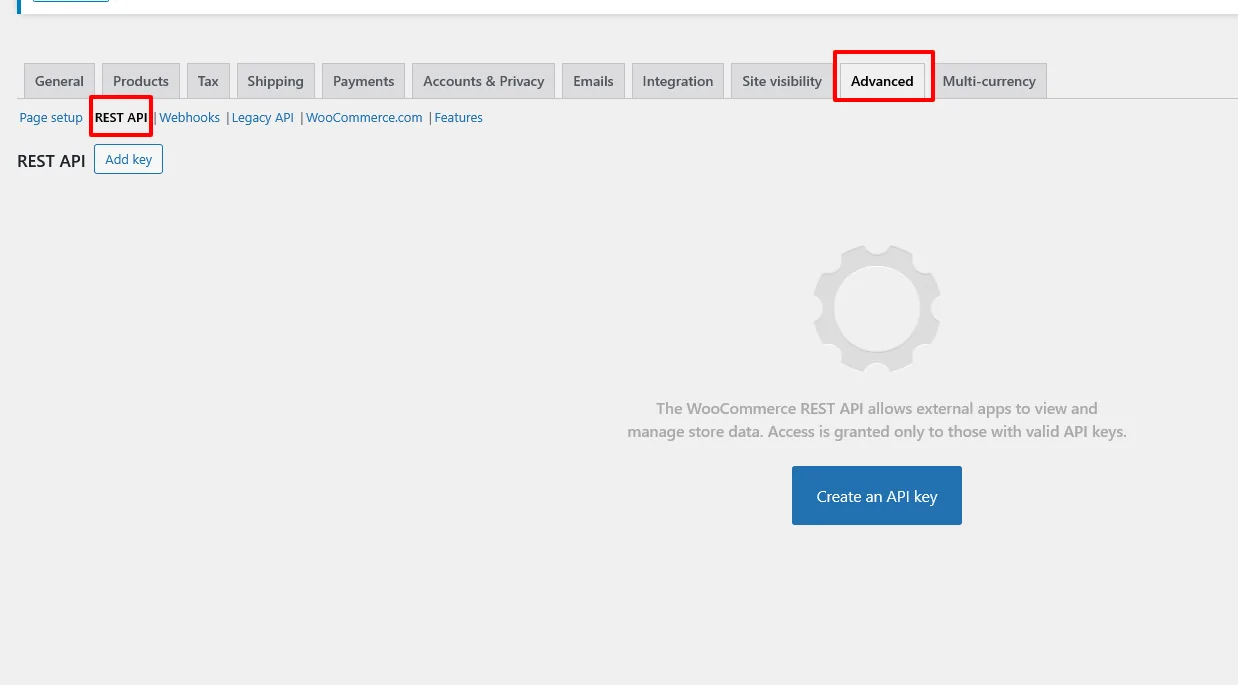
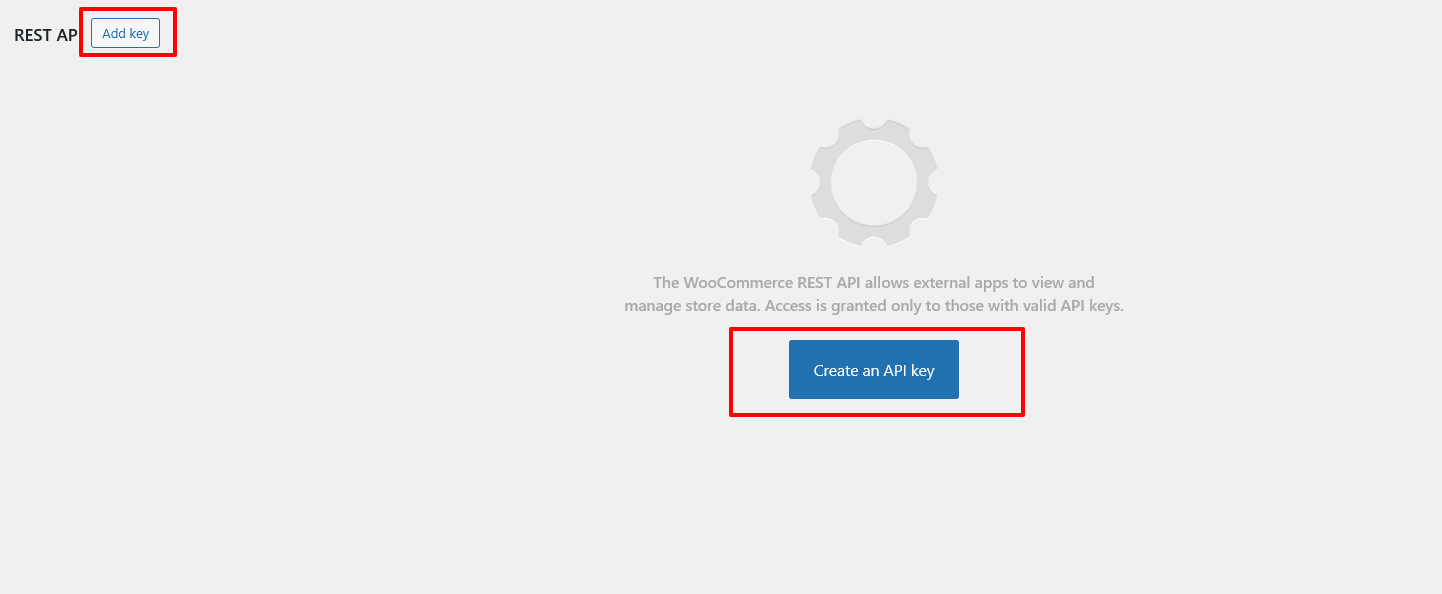
Step 4: Click on Add key or Create an API key.
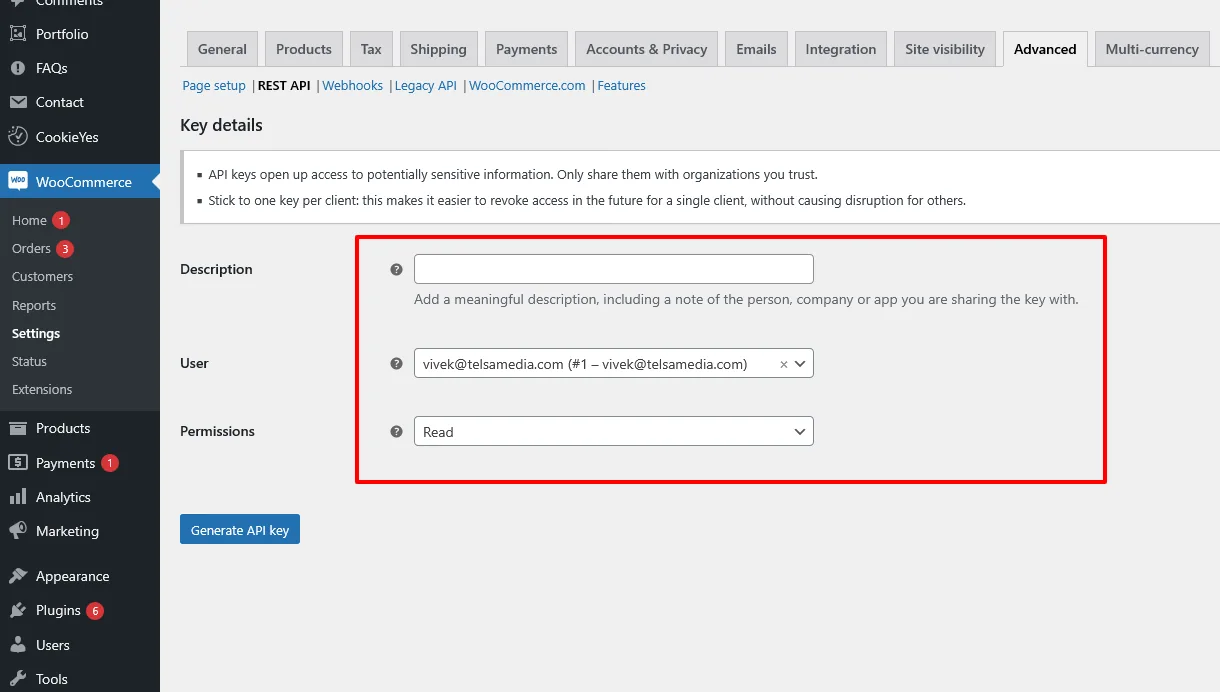
Step 5: In the form:
• Provide a Description for the key.
• Select a User from the dropdown.
• Set Permissions to Read.
• Click Generate API key.
Step 6: Upon generation, you will receive:
• Consumer Key
• Consumer Secret
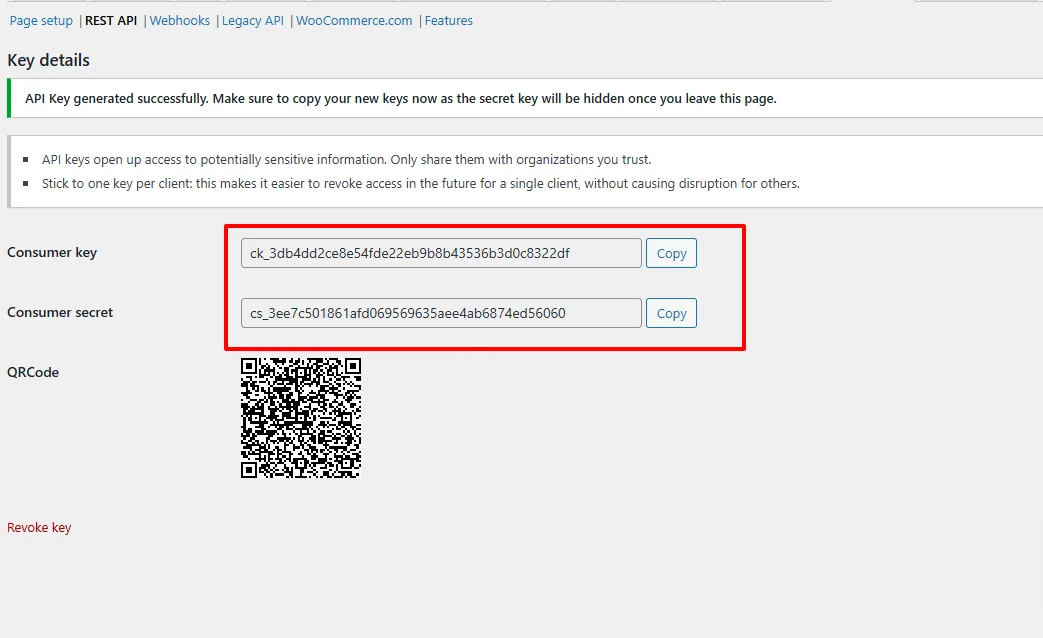
These credentials are required for integrating your WooCommerce store with the Telagus eCommerce Marketplace.
2. Determine the Integration URL for Telagus
The Integration URL corresponds to your store's base URL.
Example: If your store URL is https://mystore.com, then the Integration URL is: https://mystore.com/
Important: Ensure that the Integration URL ends with a trailing slash (/) to maintain proper endpoint formatting.
By following these steps, you'll successfully integrate your WooCommerce store with the Telagus eCommerce Marketplace.
For further assistance or inquiries, feel free to contact our support team.

Ready to see how it works?
Explore how Telagus can transform the way you manage leads, teams, and customers all from one powerful CRM platform.