An all-in-one CRM keeps your customer records, emails, texts, calls, tasks, quotes and invoices in one system, so everyone on your team sees the same history for every customer. Small businesses usually switch to one for three reasons: nobody has the full picture of a customer, follow-ups slip between the inbox and the calendar, and the integrations holding separate tools together keep breaking.
This guide is built around those three problems, taken from what small business owners are asking in CRM communities right now. For each one it explains why it happens, how an all-in-one CRM fixes it, and where you will still need another tool.
Key points
- An all-in-one CRM combines the CRM with the tools you would otherwise connect to it: email and SMS, scheduling, quotes and invoices, projects and often HR.
- It fixes scattered customer history by putting every conversation and document on one record per customer.
- It fixes the “CRM is always out of date” problem by making the CRM the place where the work happens, so it records itself.
- It removes most integrations, and with them most sync errors and duplicate records. You will still connect a few tools, such as your accounting software.
- It is not the right choice for every business. Specialist tools go deeper, and switching takes a few weeks of effort.
What is an all-in-one CRM?
A basic CRM is a shared address book with a sales pipeline. You still send emails from Gmail, keep meetings in Google Calendar, write quotes in Word, send invoices from your accounting software and chase tasks on a to-do app. Each tool holds part of the story about a customer.
An all-in-one CRM brings those jobs into the same system. If you are new to CRMs, start with our guide to what a CRM is and why it matters.
| Job | Separate tools | All-in-one CRM |
|---|---|---|
| Customer records | CRM, spreadsheets, email contacts | One record per customer and company |
| Email, SMS and WhatsApp | Gmail or Outlook, a texting app, a phone | Sent and received from the customer’s record |
| Meetings and follow-ups | Calendar, to-do app, sticky notes | Appointments and tasks on the record, synced to your calendar |
| Marketing | Email marketing tool, form builder | Campaigns and forms that feed straight into your leads |
| Quotes, contracts and invoices | Word, a signing tool, accounting software | Created from the customer’s record and stored on it |
| Projects and staff | Project tool, leave spreadsheet | Projects, leave and payroll in the same system |
Problem 1: three conversations, and nobody has the full picture
One supplier of cleaning and maintenance products described it like this: a customer calls about a late delivery, emails about an invoice, then speaks to a salesperson about their next order. That is three conversations with the same company, and nobody in the business knows about all of them. Support and sales records “barely speak to each other”, so the customer ends up explaining everything again.
This is the most common reason businesses start looking for an all-in-one system, and it is rarely a people problem. It happens because each conversation lands in a different place:
- the delivery call is in someone’s phone log, or nowhere;
- the invoice email is in the accounts inbox;
- the sales conversation is in the CRM, if the salesperson logged it.
How an all-in-one CRM fixes it
The fix is one record per customer that everything attaches to. When the customer calls or emails, whoever picks it up opens that record and sees:
- the company and every contact at it;
- every email, text, WhatsApp message and call, on one timeline;
- notes from previous conversations, including problems already reported;
- open quotes, contracts, invoices and projects;
- who the customer is assigned to, and which tasks are open and with whom.
Nobody has to ask the customer to start again, and a problem raised with support is visible to the salesperson before the next order call.
Do you need a separate help desk?
If your support is a handful of calls and emails a day from customers you already know, usually not. A shared customer record, notes and tasks assigned to a named person cover most of what a small team needs: who raised what, who is dealing with it, and when it was closed.
A dedicated help desk earns its place when you handle a high volume of tickets, need service-level targets and queues, or run a public knowledge base. If that is you, choose one that connects to your CRM, so tickets still appear on the customer’s record.
Problem 2: follow-ups live in Gmail, the calendar and your head
The owner of a small agency put it bluntly: the relationship admin takes more time than the calls. One thread lives in Gmail, another clue sits in the calendar, and the CRM is always behind because nobody wants to update it. A system of reminders and a notes tab works until things get busy, and then it falls apart.
That last part is the real issue. A CRM that needs updating after the work is done will always be behind, because updating it is extra work and the first thing dropped on a busy day.
How an all-in-one CRM fixes it
Make the CRM the place where the work happens, so it records itself:
- Email from the CRM. Connect your Gmail or Outlook account and send from the customer’s record. The email is logged without anyone copying it across.
- Meetings from the CRM. Connect Google or Outlook Calendar so appointments booked against a customer appear in your calendar, and your free slots are what customers are offered.
- Tasks on the record, not in your head. Every follow-up is a task with a due date and an owner, attached to the customer it is about.
- Automations for the routine ones. When a form comes in or a deal moves stage, the CRM assigns the lead and creates the follow-up task, so nothing depends on someone remembering.
Making it stick when things get busy
The tool matters less than three habits:
- One place to start the day. Open your task list in the CRM, not your inbox.
- No conversation without a next step. End every call or email by adding the next task, even if it is “check back in two weeks”.
- Reply from the record. If you reply from your phone’s mail app, the CRM misses it. Reply from the CRM and the history stays complete.
AI assistants can now take on some of this work too, such as first replies and follow-ups that nobody gets round to. We cover how they work, and the rules on using them, in our guide to AI sales agents.
Problem 3: integrations that keep breaking
Ask a group of CRM users about their biggest integration problem and the same list comes back every time:
- Sync errors: a customer’s details change in one app but not in the other.
- Duplicate records: the same contact appears two or three times as data moves between systems.
- Automations that misfire: a workflow doesn’t trigger, or triggers twice.
- Field mapping: fields don’t match between apps, so information goes missing.
- Maintenance: it all works at first, then an update in one app breaks the connection.
Every integration is a small piece of software that copies data from one system to another, and each one is something that can fail. A business running six separate tools can easily have ten or more connections between them, often built with Zapier or by a consultant, and nobody notices when one stops.
How an all-in-one CRM fixes it
When email, scheduling, quotes, invoices and projects are part of the CRM, there is nothing to sync between them: they read and write the same customer record. That removes most of the failure points on the list above.
- A change to a customer’s details is the same change everywhere, because there is only one copy.
- Automations run inside one system, so a stage change and the task it creates can’t drift apart.
- Duplicates still happen, usually from imports and forms, so look for duplicate checks and a way to merge two records into one without losing their history.
You will still connect some tools
All-in-one doesn’t mean no integrations. Most small businesses keep accounting software such as Xero or QuickBooks, because tax and bookkeeping are specialist jobs. They may also keep a payment provider such as Stripe and a video tool such as Zoom. The difference is going from ten fragile connections to two or three that matter, ideally ones built into the CRM rather than run through a third party.
Add up what you are paying now
Before you compare CRMs, list what you use today. A quick table like this makes the decision much clearer:
| What to list | Why it matters |
|---|---|
| Each tool and its monthly cost per user | Per-user prices add up quickly as the team grows |
| Who uses it, and who has the login | Shows where customer information is locked away from the rest of the team |
| Each connection between tools | Every one is something to maintain and something that can break |
| Hours a week spent copying data between them | Usually the biggest hidden cost |
If the list is two tools and no copying, you probably don’t need to switch. If it is six tools, several logins and someone re-typing data every week, an all-in-one CRM is likely to save both money and time.
When an all-in-one CRM is not the right fit
To be fair to the alternative, separate tools are sometimes the better choice:
- You rely on one specialist tool’s depth. A large support team may need a full help desk, and an e-commerce business may need advanced marketing automation.
- Your current setup works. If nothing is being missed and nobody is copying data, switching costs more than it saves.
- You need specialist compliance. Tax, payroll filing and regulated record-keeping usually belong in dedicated software.
- You can’t spare the time to switch right now. Moving systems takes a few weeks of setup and getting used to it. Plan it for a quieter period.
How to choose an all-in-one CRM
- Check it covers your actual jobs. Use the table above. A CRM with features you won’t use isn’t better value.
- Check the integrations you are keeping. Make sure it connects to your email, calendar and accounting software.
- Check how it handles duplicates and how you import your existing contacts.
- Check you can get your data out. Ask how to export your contacts and history if you ever leave.
- Check the pricing model. Per-user pricing can double your bill as you hire. Look at user limits on each plan.
- Try it free with real work. Run a week of real follow-ups through it before you commit.
For a side-by-side look at the main options, see our guide to the best CRM software for small business.
How Telagus does it
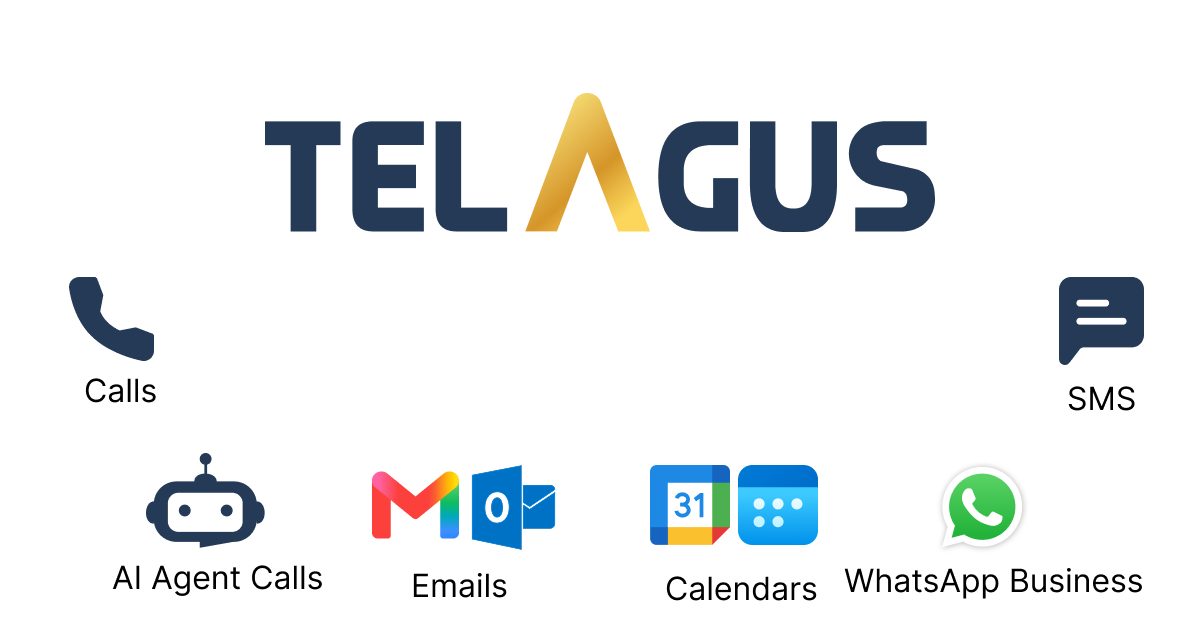
Telagus is an all-in-one CRM for small businesses. Each customer has one record with every email, text, WhatsApp message and call on a single timeline, alongside notes, tasks, appointments, quotes, contracts, invoices and projects.
- Email and calendar: connect Gmail or Outlook and Google or Outlook Calendar, and work from the customer’s record.
- Follow-ups: tasks with owners and due dates, and automations that assign leads and create tasks for you.
- Duplicates: find duplicate leads and merge them into one record.
- Integrations you keep: Xero, QuickBooks, Stripe, Zoom and Zapier connect from inside Telagus.
- Beyond sales: email and SMS marketing, forms, projects, leave and payroll run in the same system.
You can start on the Forever Free plan, and paid plans include several users rather than charging per seat. See Telagus pricing for the current plans.
Frequently asked questions
What is an all-in-one CRM?
An all-in-one CRM is customer relationship management software that also covers the jobs usually handled by separate tools, such as email and SMS, scheduling, marketing, quotes and invoices, and projects. Every customer has one record that all of this attaches to.
Why do small businesses use an all-in-one CRM?
Mainly to give everyone the full history of each customer in one place, to stop follow-ups slipping between the inbox and the calendar, and to cut the number of subscriptions and integrations they pay for and maintain.
Can I run customer support and sales in one system?
Yes, for most small businesses. A shared customer record with every call, email and note, plus tasks assigned to a named person, shows sales and support the same history. Very high ticket volumes may still need a dedicated help desk connected to the CRM.
How do I stop my CRM getting out of date?
Work from the CRM instead of updating it afterwards. Send emails and book meetings from the customer’s record, add a next-step task after every conversation, and let automations create routine follow-ups.
Does an all-in-one CRM replace accounting software?
No. It can create quotes and invoices, but tax, bookkeeping and filing belong in accounting software such as Xero or QuickBooks. Choose a CRM that connects to the one you use.
How do I avoid duplicate records in a CRM?
Use one system for as many jobs as you can, so data isn’t copied between apps. Then use the CRM’s duplicate checks on imports and forms, and merge duplicates into a single record so no history is lost.